
v1.6.7.0 Update Notes
Modifications on Daily Routines
Section titled “Modifications on Daily Routines”- An issue that, the options in right-click menus may not work properly while the target item is a high quality item or a collectable, has been fixed.
Modules removed
Section titled “Modules removed”Auto Display Owners Of Retainers [UI_Optimization]
Section titled “Auto Display Owners Of Retainers [UI_Optimization]”- Content IDs of sellers are no longer distributed to clients. The module could no longer work.
New modules
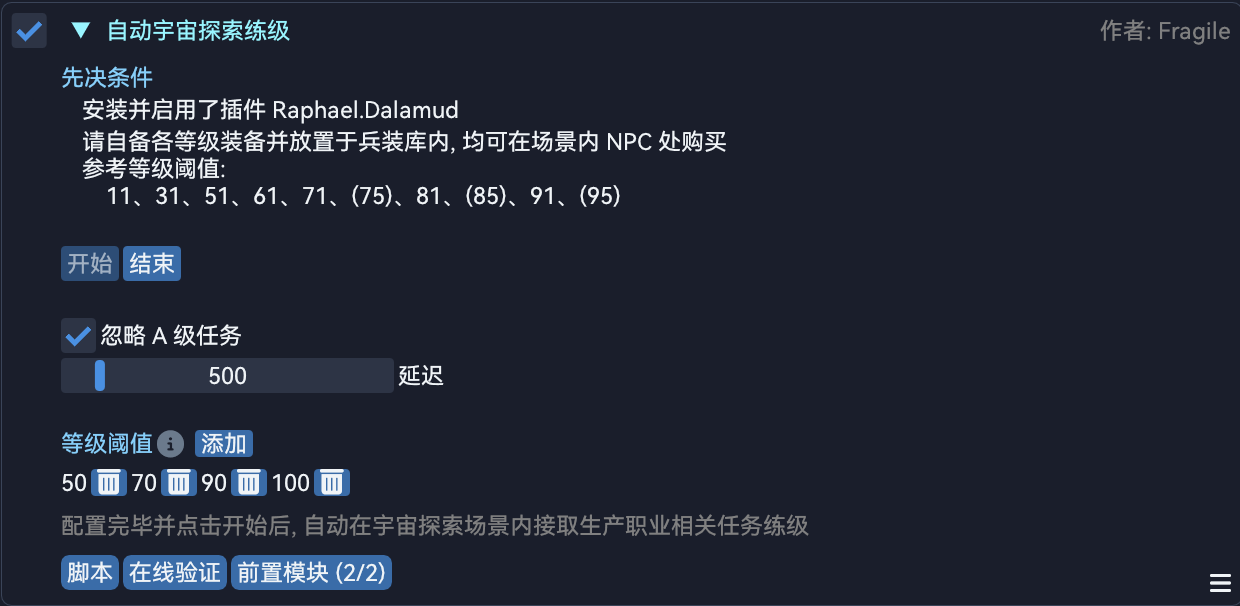
Section titled “New modules”Auto Level Up In Cosmic Exploration [Script]
Section titled “Auto Level Up In Cosmic Exploration [Script]”Automatically accept quests and level up in Cosmic Exploration for Disciples of the Land or Hand after proper configurations and clicking start.
Auto Transfer Items Between Interfaces [UI_Operation]
Section titled “Auto Transfer Items Between Interfaces [UI_Operation]”If there’re interfaces which allow item storage (like inventory or saddlebag) available, allow the user to transfer items between them by clicking while pressing Interrupt Hotkey.

Module modifications
Section titled “Module modifications”Auto Meld Materia [UI_Operation]
Section titled “Auto Meld Materia [UI_Operation]”- An issue that the module may not be able to recognize ring melding from two different plans has been fixed.
Auto Skip Dialogue [System]
Section titled “Auto Skip Dialogue [System]”- An issue caused by new offsets after the 7.2 patch has been fixed.
Higher Quick Synthesis Limit [System]
Section titled “Higher Quick Synthesis Limit [System]”- The code was optimized and streamlined.
Field Operations Entry Command [System]
Section titled “Field Operations Entry Command [System]”- The logic of entering
Sinus Ardorumwas optimized.
Auto Split Items [General]
Section titled “Auto Split Items [General]”- The appearance of the window to split items was optimized.
Auto Highlight Actions Corresponding To Status [Action]
Section titled “Auto Highlight Actions Corresponding To Status [Action]”- Now the corresponding actions of a status has been ended will be consistently highlighted if the target exists and the character is still in combat.
Auto Display Mitigation Details [Combat]
Section titled “Auto Display Mitigation Details [Combat]”- An issue that the information of the interface will no longer update after leaving combat has been fixed.