
v1.7.1.0 Update Notes
Modifications on Daily Routines
Section titled “Modifications on Daily Routines”- The robustness of IPC registrations was improved.
- Command auto completion was added for Daily Routines commands.
New modules
Section titled “New modules”Better Group Pose Setting Interface [UI_Optimization]
Section titled “Better Group Pose Setting Interface [UI_Optimization]”Optimize the setting interface of Group Pose and provide more refined and detailed options.

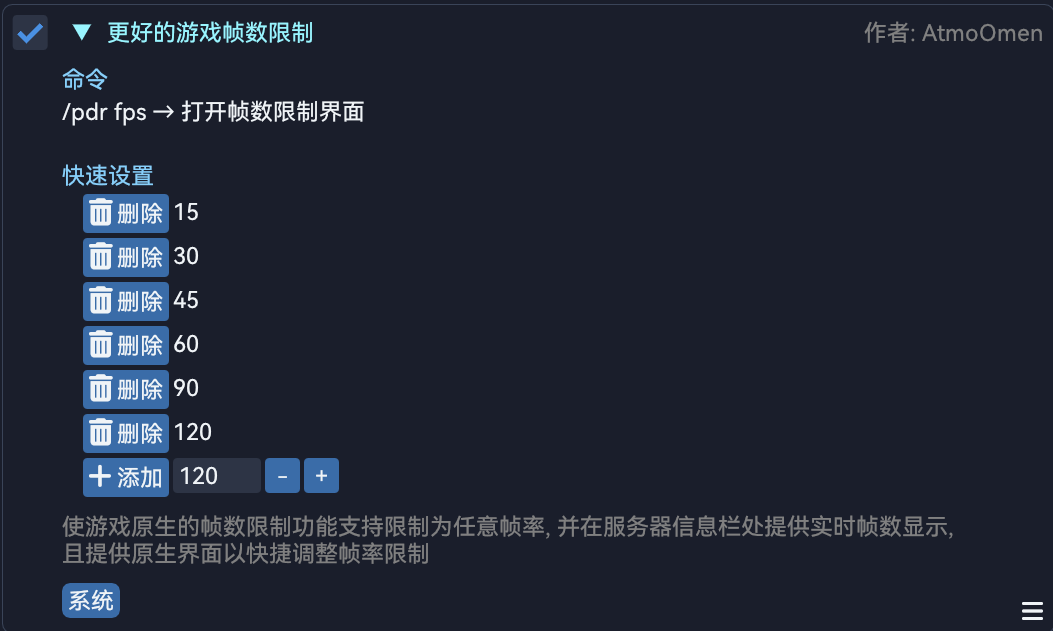
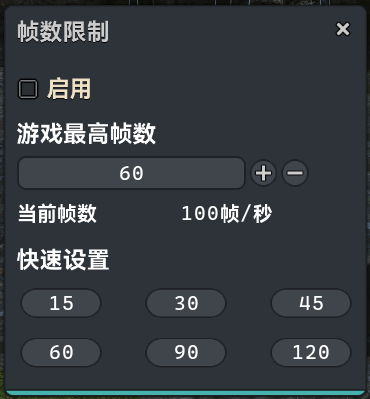
Better Frame Rate Cap [System]
Section titled “Better Frame Rate Cap [System]”Allow users to set the frame rate cap to any number rather than the fixed options provided by the game, add a frames per second indicator in Server Info bar and provide an interface to quickly adjust the frame rate cap.
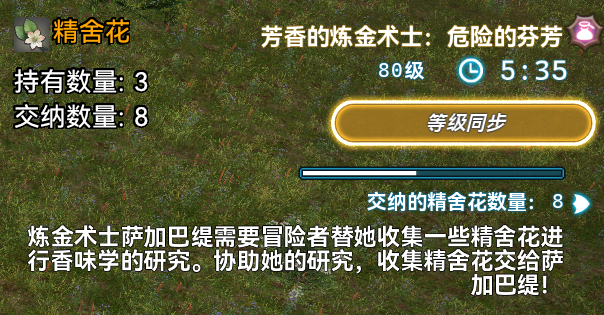
FATE Item Counter [Combat]
Section titled “FATE Item Counter [Combat]”Display the number of FATE items the character is currently possessing and has submitted nearby FATE information if the character is engaging a FATE involves item collections.

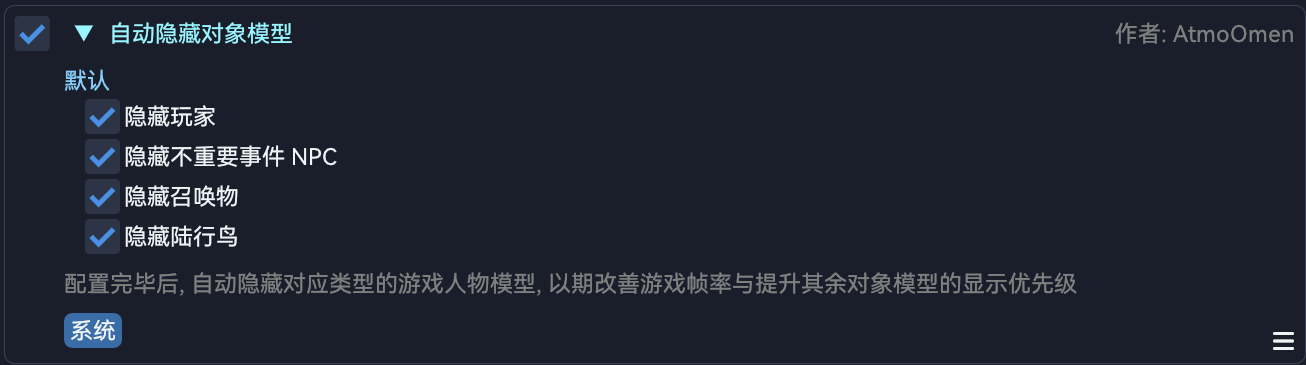
Auto Hide Game Objects [System]
Section titled “Auto Hide Game Objects [System]”Automatically hide the models of specified objects after proper configurations, in order to improve the game performance and prioritize the rendering of important objects.
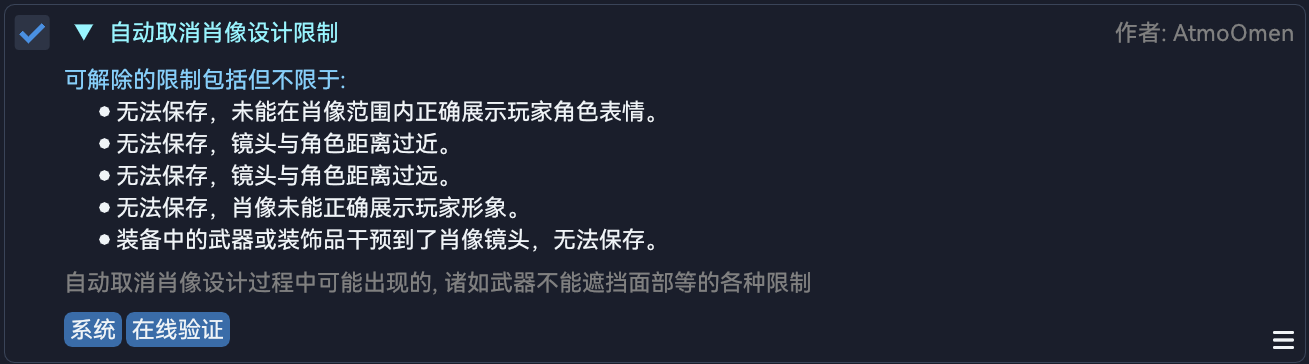
Auto Ignore Portrait Restrictions [System]
Section titled “Auto Ignore Portrait Restrictions [System]”Automatically ignore the restrictions during creating a portrait, such as the weapon shouldn’t cover the character face or the camera position shouldn’t be too high.
Module modifications
Section titled “Module modifications”Better Enmity List [UI_Optimization]
Section titled “Better Enmity List [UI_Optimization]”- An issue that, the cast information of the targets which couldn’t be targeted and have full health was still displayed, has been fixed.
Auto Finish Tradecraft Leves [General]
Section titled “Auto Finish Tradecraft Leves [General]”- An issue that the module didn’t work after the 7.2 patch has been fixed.
- The workflow was refactored and real-time detection has been introduced to prevent getting stuck.
Auto FATE [Script]
Section titled “Auto FATE [Script]”- An issue that the process may get stuck if the user accidentally clicks Auto-run has been fixed.
- The logic of targeting available enemies was adjusted to prevent getting stuck due to non-FATE enemies.
- The character will actively cancel Level Sync and stop targeting objects when the FATE progress reaches 100% to prevent getting stuck.
- The detection of enemy sights was added.
Quick World Travel Command [System]
Section titled “Quick World Travel Command [System]”- In-game data center travelling is now available for CN clients.
- The appearance of Server Info bar was optimized.
- The floating window was remastered using vanilla assets.
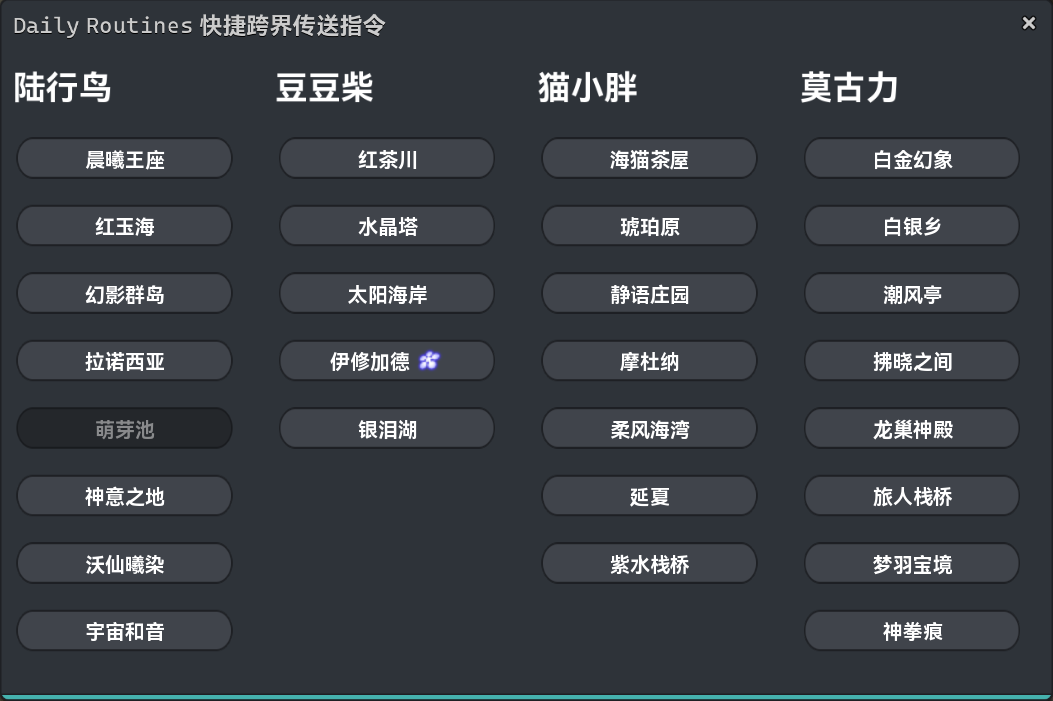
- New option
Replace the vanilla World Visit interface, enabled by default.
Auto Speed Multiplier [System]
Section titled “Auto Speed Multiplier [System]”- The logic of the module commands was adjusted.
Auto Gather In The Diadem [Script]
Section titled “Auto Gather In The Diadem [Script]”- An issue that the character may accidentally walk around after ending a gathering round and leaving the duty has been fixed.
- An issue that the cordial may not be used as frequent as expected has been fixed.
- The logic of executing gathering actions when GP is below 850 was adjusted.
- The logic of executing
Lay of the LandandArbor Callwas adjusted to prevent getting stuck on this logic.
Auto Display Mitigation Details [Combat]
Section titled “Auto Display Mitigation Details [Combat]”- An issue of text ghosting due to incorrect node offset has been fixed.
- Now the mitigation percentage will be hidden during casting.
- Now MP will be hidden if the amount of shield is over 100k.
Auto FATE Level Sync [Combat]
Section titled “Auto FATE Level Sync [Combat]”- The logic was optimized and streamline.
More Chat Log Filter Presets [UI_Optimization]
Section titled “More Chat Log Filter Presets [UI_Optimization]”- New options were added to the right-click menu of the chat log window.
Better Market Board [UI_Optimization]
Section titled “Better Market Board [UI_Optimization]”- Now the search will be performed simultaneously in the side bar of the floating window while searching via commands.