
v1.7.2.0 Update Notes
Modifications on Daily Routines
Section titled “Modifications on Daily Routines”- An unexpected JSON reading logic has been fixed.
- A batch of modules will be enabled by default.
- The permission management of modules was adjusted.
Modules removed
Section titled “Modules removed”Larger HD Input Method Editor Interface [UI_Optimization]
Section titled “Larger HD Input Method Editor Interface [UI_Optimization]”- The module was separated into two new modules
HD-enhanced Interface TextsandClearer Input Method Editor Interface.
Auto Request Necessary Data [System]
Section titled “Auto Request Necessary Data [System]”- The module really didn’t provide much help to users.
New modules
Section titled “New modules”Auto Clear Teleportation Stuck [General]
Section titled “Auto Clear Teleportation Stuck [General]”Automatically execute the teleportation last time if users get stuck in teleportation with the message “Unable to teleport. Another teleport is already underway.”.

Instant Full Speed [System]
Section titled “Instant Full Speed [System]”Remove the acceleration process of the character and allow the character to immediately accelerate to the full speed after starting moving.

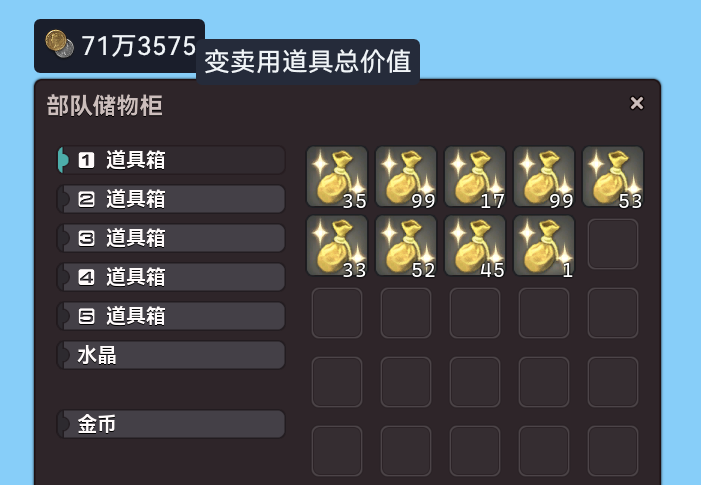
Auto Calculate Value Of Gil Items In Company Chest [UI_Optimization]
Section titled “Auto Calculate Value Of Gil Items In Company Chest [UI_Optimization]”Automatically calculate the value of all the “Exchangeable for gil” items in Company Chest and display the statistics in a floating window.

Better Duty Finder Settings [UI_Optimization]
Section titled “Better Duty Finder Settings [UI_Optimization]”Provide a bar including buttons correspond to Duty Finder settings above the Duty Finder interface in order to make the setting more accessible.


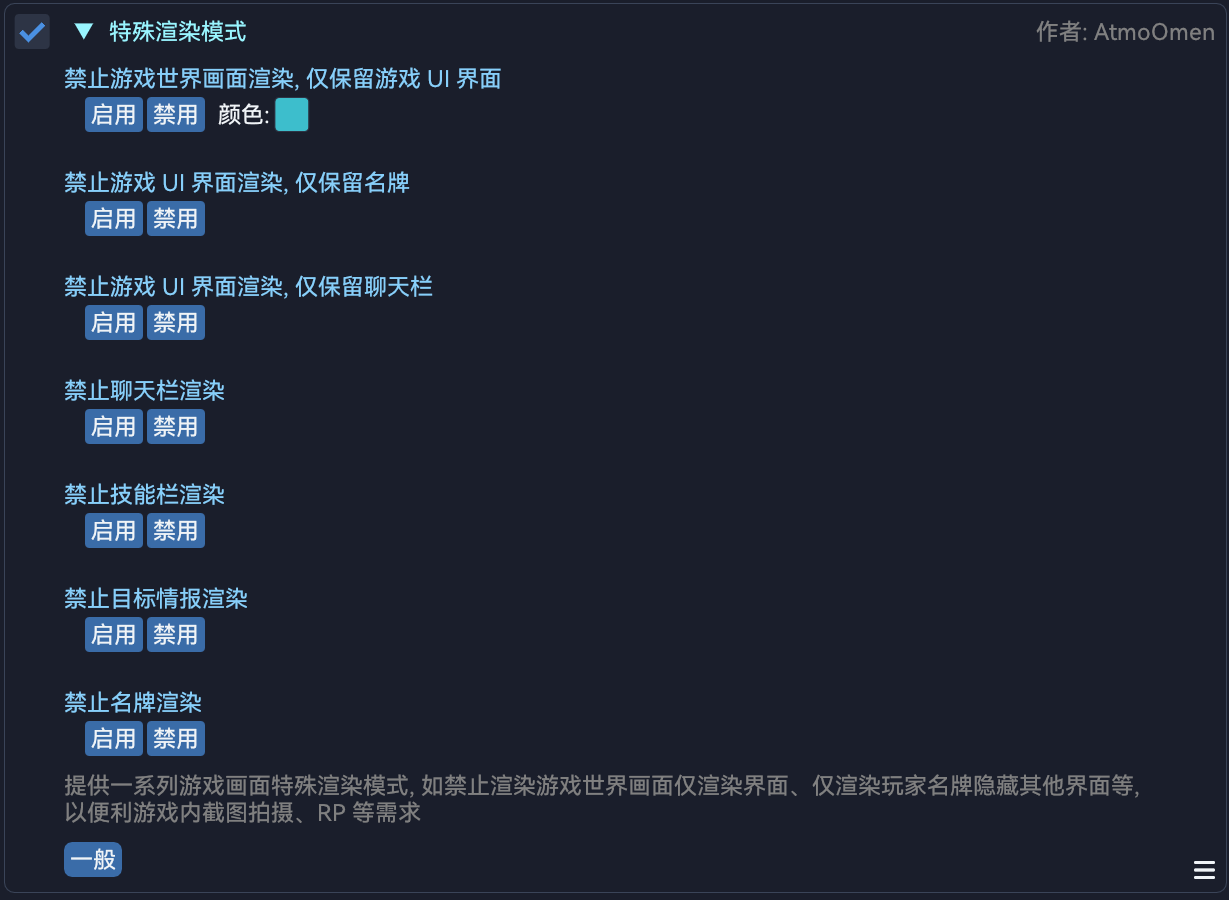
Special Rendering Mode [General]
Section titled “Special Rendering Mode [General]”Provide some special rendering modes like “Disable Game World Rendering, Only Render User Interfaces” or “Disable User Interface Rendering, Only Render Adventurer Plates”, for dedicated purposes such as screenshots or role playing.
Auto Disable Battle Music [System]
Section titled “Auto Disable Battle Music [System]”Automatically disable battle music during a combat and keep playing BGM instead.

Auto Prevent Displaying Opening Cinematic [System]
Section titled “Auto Prevent Displaying Opening Cinematic [System]”Automatically prevent the game from displaying the opening cinematic which would be presented after being afk on the title page for a while.

Auto Cancel Character Login Cooldown [System]
Section titled “Auto Cancel Character Login Cooldown [System]”Automatically cancel the “Please wait and try logging in later.” login cooldown which would be applied after cancelling a character login action.

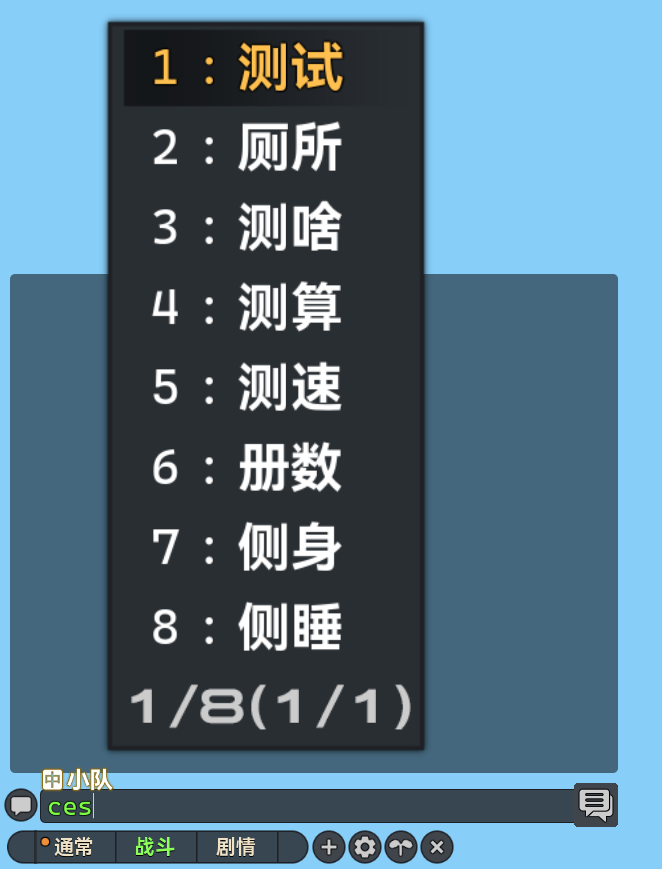
Clearer Input Method Editor Interface [UI_Optimization]
Section titled “Clearer Input Method Editor Interface [UI_Optimization]”Allow users to customize the interface scaling of input method editors and provide clearer texts.

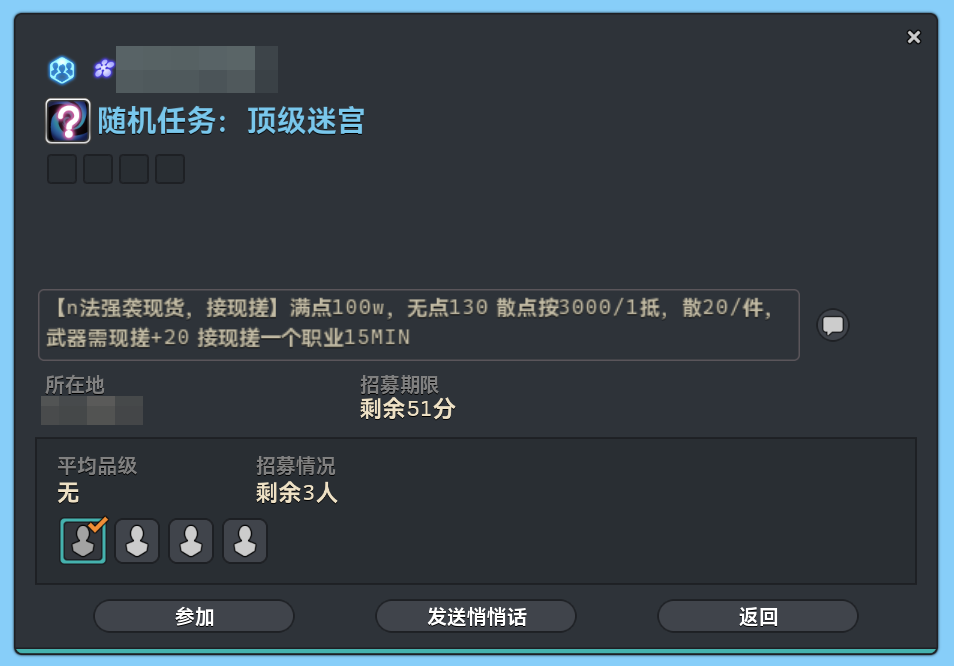
HD-enhanced Interface Texts [UI_Optimization]
Section titled “HD-enhanced Interface Texts [UI_Optimization]”Automatically HD-enhance blurry texts with improved rendering in some interfaces, in order to make them more accessible.

| When disabled | After enabling |
 |
 |
Module modifications
Section titled “Module modifications”Auto Join Novice Network [General]
Section titled “Auto Join Novice Network [General]”- The module was refactored.
Expand Action Range [Action]
Section titled “Expand Action Range [Action]”- The module was refactored.
Customize Party Finder Page Size [UI_Optimization]
Section titled “Customize Party Finder Page Size [UI_Optimization]”- The module was refactored.
Auto Jumbo Cactpot [Gold_Saucer]
Section titled “Auto Jumbo Cactpot [Gold_Saucer]”- The module was refactored.
Auto Orient To The Camera Direction [System]
Section titled “Auto Orient To The Camera Direction [System]”- The module was refactored.
Permanent Disconnected Online Status [System]
Section titled “Permanent Disconnected Online Status [System]”- The module was refactored.
Customize Interface Text Replacement [UI_Optimization]
Section titled “Customize Interface Text Replacement [UI_Optimization]”- The module was refactored.
Quick Chat Panel [UI_Optimization]
Section titled “Quick Chat Panel [UI_Optimization]”- An issue that the configurations related to
Messages,MacroandSystem Sound Effectscouldn’t be saved has been fixed. - An issue of incorrect loading order has been fixed.
Auto Draw Motifs [Action]
Section titled “Auto Draw Motifs [Action]”- The module was refactored.
Auto Tank Stance [Action]
Section titled “Auto Tank Stance [Action]”- The module was refactored.
- The module name in Chinese was adjusted.
Auto Notify While Countdown Begins [Notification]
Section titled “Auto Notify While Countdown Begins [Notification]”- The module was refactored.
Auto Confirm Portrait Updates [UI_Operation]
Section titled “Auto Confirm Portrait Updates [UI_Operation]”- The module was refactored.
Auto Item Desynthesis [UI_Operation]
Section titled “Auto Item Desynthesis [UI_Operation]”- The module was refactored.
Auto Extract Materia [UI_Operation]
Section titled “Auto Extract Materia [UI_Operation]”- The module was refactored.
Auto Refresh Party Recruitment [UI_Operation]
Section titled “Auto Refresh Party Recruitment [UI_Operation]”- The operation stability was improved.
Auto Check Item Level [Combat]
Section titled “Auto Check Item Level [Combat]”- The threshold was adjusted.
Auto Level Up In Cosmic Exploration [Script]
Section titled “Auto Level Up In Cosmic Exploration [Script]”- Retry logic was added in order to re-start a synthesis after failures.
- The action queue will no longer be sent.
Allow To Teleport To The Current Aetheryte Or Shard [System]
Section titled “Allow To Teleport To The Current Aetheryte Or Shard [System]”- An issue that the module didn’t work has been fixed.
Auto Commence Very Easy Quest Battles [Combat]
Section titled “Auto Commence Very Easy Quest Battles [Combat]”- A message notification will be sent after the difficulty has been changed.
- The internal name of the module has been changed, therefore users need to re-enable the module manually.
Auto Replace Low Blow With Interject [Action]
Section titled “Auto Replace Low Blow With Interject [Action]”- The module was refactored.
- An issue that the icons of some irrelevant actions may be replaced with the one of Low Blow has been fixed.
Auto Notify After Cutscene Ends [Notification]
Section titled “Auto Notify After Cutscene Ends [Notification]”- The code was optimized and streamlined.
- The content of TTS notifications will no longer include the specific seconds elapsed.
Fast Object Interaction [UI_Optimization]
Section titled “Fast Object Interaction [UI_Optimization]”- The coffers which are already opened or are disappearing will no longer be displayed in the floating window.
Auto Check Self Food Status [Combat]
Section titled “Auto Check Self Food Status [Combat]”- Now users could add duplicate food for different duty demands.
Better Group Pose Setting Interface [UI_Optimization]
Section titled “Better Group Pose Setting Interface [UI_Optimization]”- The situations that the floating window will be visible were adjusted.
Auto Speed Multiplier [System]
Section titled “Auto Speed Multiplier [System]”- New IPC
DailyRoutines.Modules.AutoSpeedMultiplier.GetMultiplier.