
v1.8.4.0 Update Notes
Modifications on Daily Routines
Section titled “Modifications on Daily Routines”- Now
Korean (한국어)is fully supported. - Right-click menus were added to the module categories in the side bar in the main interface, which provides
Enable in batchandDisable in batchfor all the modules belong to the category. - Now Recommendation Today will not be displayed if the acquisition of related data fails.
- The acquisition of data related to Recommendation Today was adjusted. Now abnormal response will no longer cause erasure of related module data.
- The drawing logic of the authentication interface was optimized.
- New experimental
Machine ID (MID)was introduced. Its official release is scheduled later this year and here is a preview. Please keep an eye on your new MID and don’t hesitate to report in our Discord if you encounter any unexpected new MID changes.
New modules
Section titled “New modules”Module category adjustments
Section titled “Module category adjustments”Auto Emphasize KO In Frontline
Section titled “Auto Emphasize KO In Frontline”UI_Optimization → Combat
Auto Click Repeatedly
Section titled “Auto Click Repeatedly”Combat → System
Auto Pet Following
Section titled “Auto Pet Following”Action → Combat
Module modifications
Section titled “Module modifications”Better Duty Finder Registration [UI_Optimization]
Section titled “Better Duty Finder Registration [UI_Optimization]”- The performance was improved.
- The logic of determining element positions in the interface was optimized.
Auto Aetheric Mimicry [Action]
Section titled “Auto Aetheric Mimicry [Action]”- Now the interface will always pop up where the cursor clicks.
- Now the interface could be closed by clicking
Escapeno matter if the interface is on top.
Auto Cancel Cast [Action]
Section titled “Auto Cancel Cast [Action]”- The logic was streamlined and optimized.
Auto Peloton [Action]
Section titled “Auto Peloton [Action]”- The logic was streamlined and optimized.
Auto Pet Following [Combat]
Section titled “Auto Pet Following [Combat]”- Now an interval of 10 seconds has been applied between notifications.
Auto Prevent Duplicate Actions [Action]
Section titled “Auto Prevent Duplicate Actions [Action]”- The logic was streamlined and optimized.
Auto Replace Low Level Actions [Action]
Section titled “Auto Replace Low Level Actions [Action]”- The logic was streamlined and optimized.
- An issue which may cause action icon exceptions has been fixed.
Auto Soulsow [Action]
Section titled “Auto Soulsow [Action]”- The logic was streamlined and optimized.
Auto Earth’s Reply [Action]
Section titled “Auto Earth’s Reply [Action]”- The logic was streamlined and optimized.
- An issue that the module configurations couldn’t be saved or read properly has been fixed.
Better Crafting Log [UI_Optimization]
Section titled “Better Crafting Log [UI_Optimization]”- The general interface layout was optimized.
- Now the interface could be closed by clicking
Escapeno matter if the interface is on top.
Better Friend List [UI_Optimization]
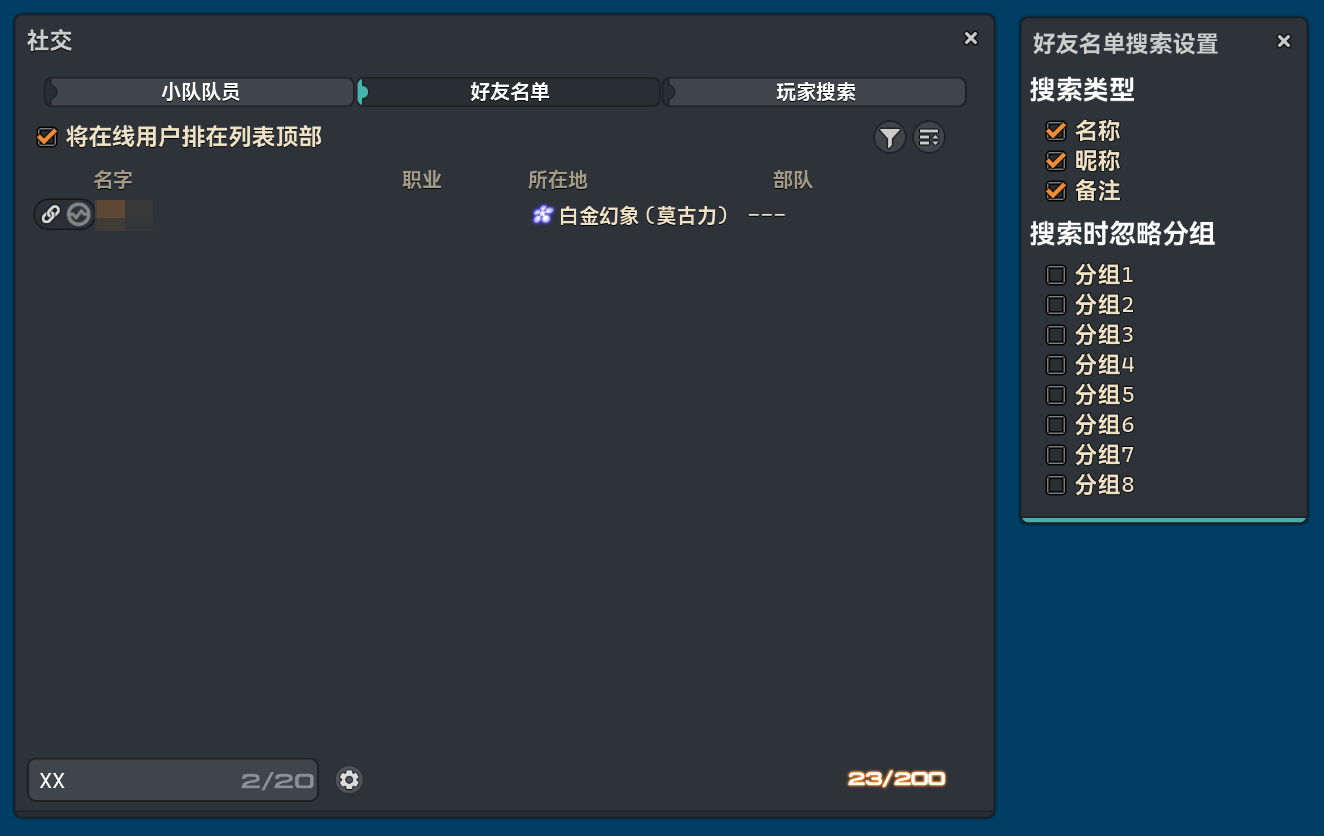
Section titled “Better Friend List [UI_Optimization]”- The feature of quick friend search was introduced.
- The module description was adjusted.
Better Teleportation [UI_Optimization]
Section titled “Better Teleportation [UI_Optimization]”- New command
/pdr telepoto check the priority ofAetherytes / Aethernet shards.
Auto Expert Delivery [UI_Operation]
Section titled “Auto Expert Delivery [UI_Operation]”- The floating window is now presenting using vanilla game assets.
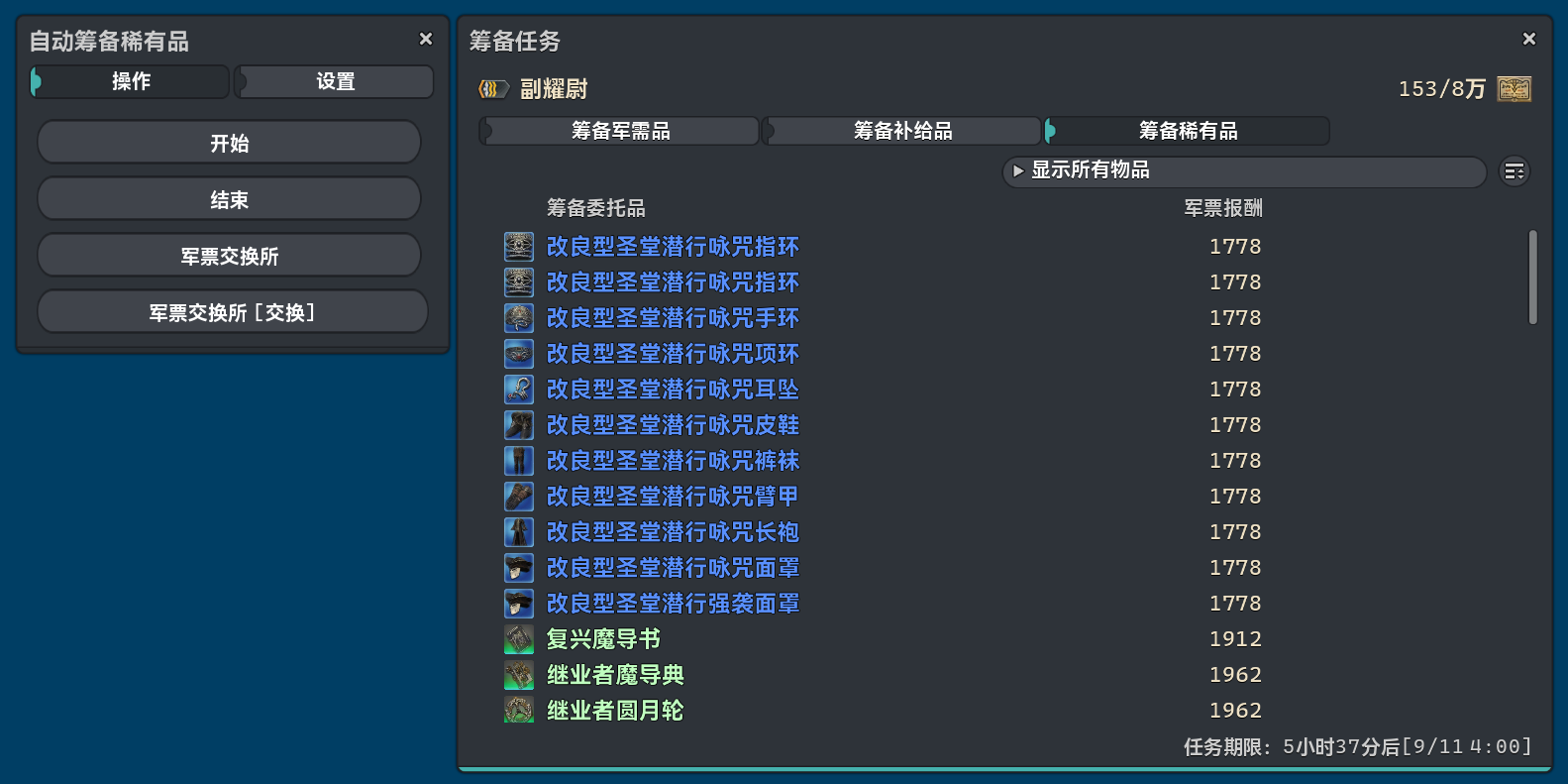
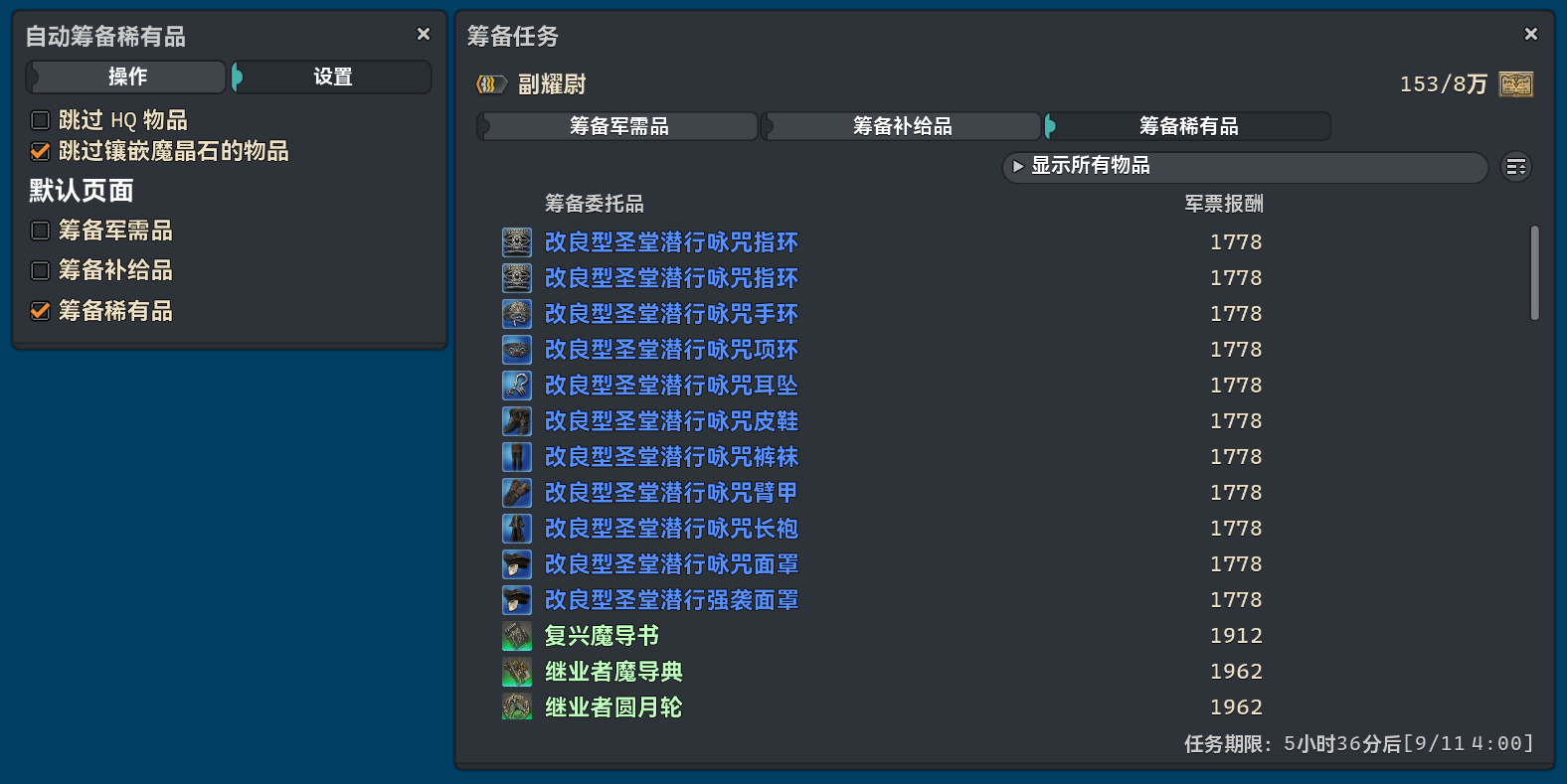
- The configuration
Auto Swicth To Expert Deliverywas removed. A new counterpart optionDefault Pagewas introduced instead.
Auto Chat Bot Reply [General]
Section titled “Auto Chat Bot Reply [General]”- The drawing and interaction logic of
Monitored Channelwere adjusted.
Better Auto Follow [Combat]
Section titled “Better Auto Follow [Combat]”- The logic was streamlined and optimized.
Better Crafting Log [UI_Optimization]
Section titled “Better Crafting Log [UI_Optimization]”- If a recipe is available to multiple jobs, a bar including related information and shortcut buttons will be displayed on the top of the window for checking and recipe accessing.
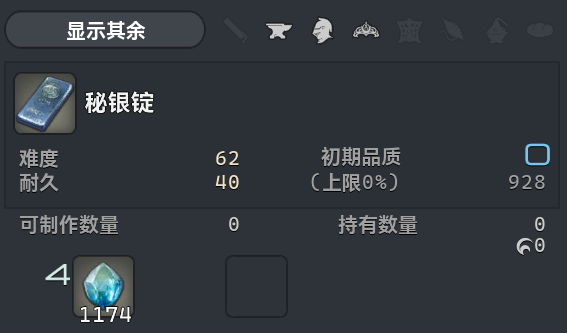
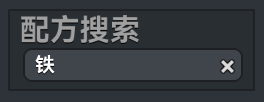
- The content of the search bar could be cleared by the cross icon on the right side. Last recipe will pop up if users do so.
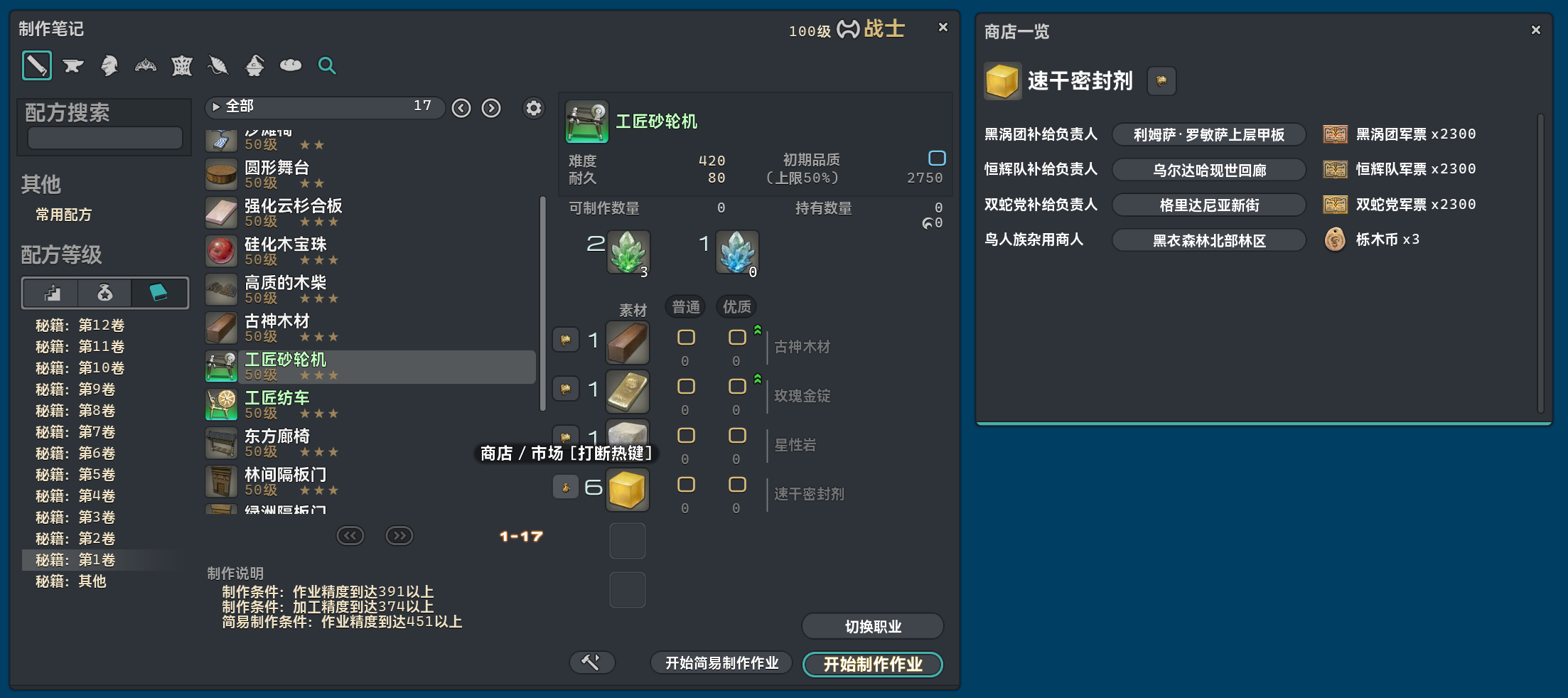
Better Market BoardandBetter Teleportationare now prerequisite modules.- If a kind of materials could be purchased in the market or from any NPC, a button for further market information will be available on the left side of the material icon. A list of available deals will be displayed if users click it.
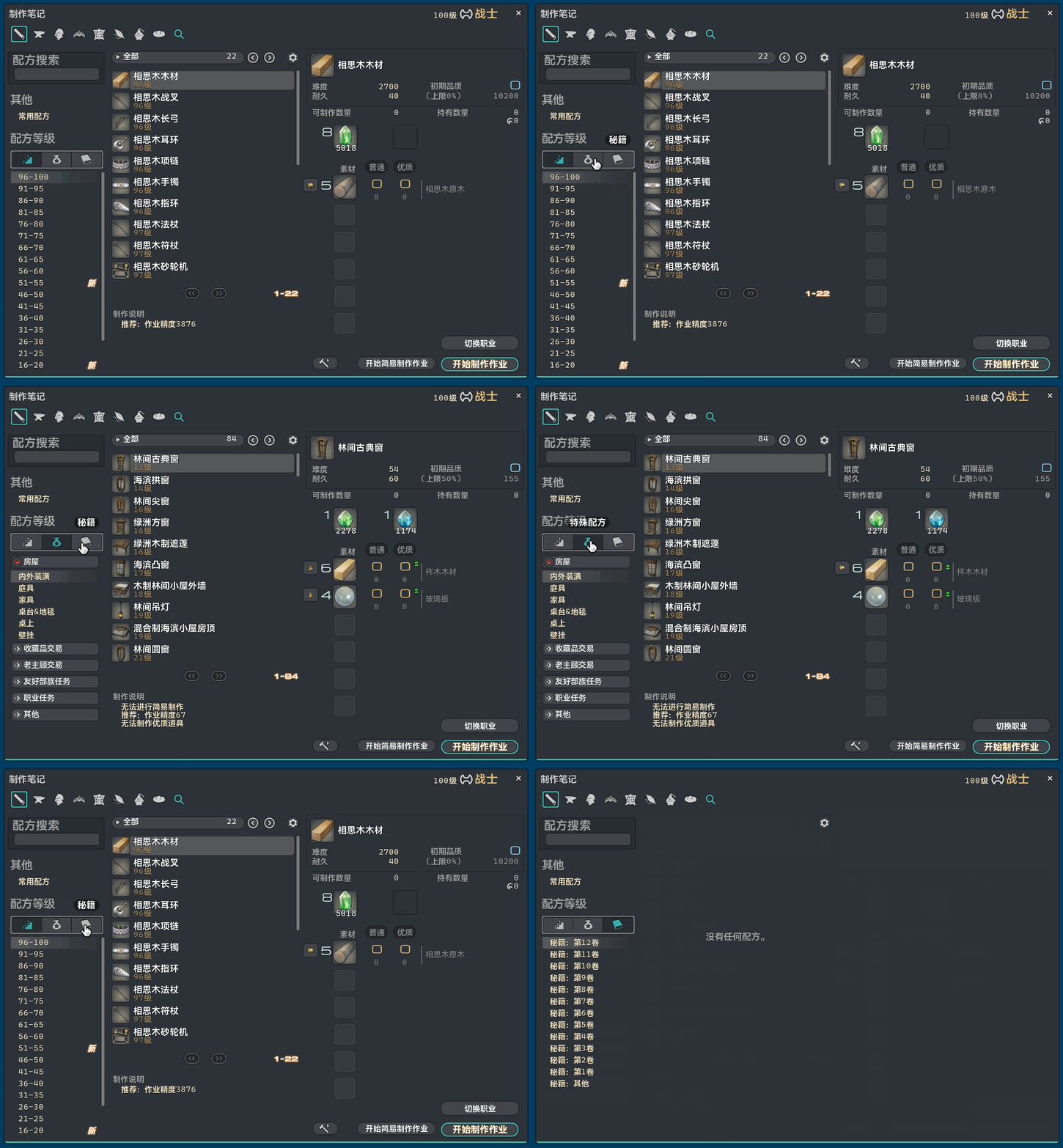
- Users could access recipe categories as wish here. The vanilla button is actually a mock choice panel, where all the categories could only be accessed sequentially in order.
Auto Repeat Chat Message [General]
Section titled “Auto Repeat Chat Message [General]”- The link appearance of messages to be repeated was adjusted.
Frontline Player Radar [Combat]
Section titled “Frontline Player Radar [Combat]”- Now the module will stop working after the game-end score board pops up.